










Custom chat channels, interactive inline macros, and proximity chat
Yapper is a lightweight chat management plugin that lets players switch target channels, share items, and open inline inventory previews directly from chat. It gives administrators full control over local proximity ranges, permission-based MiniMessage layouts, and custom macros to build a clean, modern chat experience on a server.
Features
- Create global chat channels or local proximity channels with configurable block radii.
- Design dynamic, permission-based chat formats using MiniMessage syntax, custom tags, and PlaceholderAPI.
- Set up interactive inline macros that let players share held items, inventories, ender chests, or any custom PlaceholderAPI stat with hover previews.
- Connect directly with Towny to support dedicated town, nation, and alliance channels out of the box.
- Allow players to switch active channels, send quick one-off messages, or toggle channel visibility with hide and show commands.
Prerequisites
Yapper is compatible with the following plugins:
- Towny (Optional for town integration)
- DiscordSRV (Optional for basic Discord integration)
- PlaceholderAPI (Optional)
- PluginUpdater (Optional for update checking and automatic updates)
Documentation & Support
For configurations, commands, and permissions, check out our wiki. For bugs, questions, or updates, visit our Discord server or open a GitHub Issue.
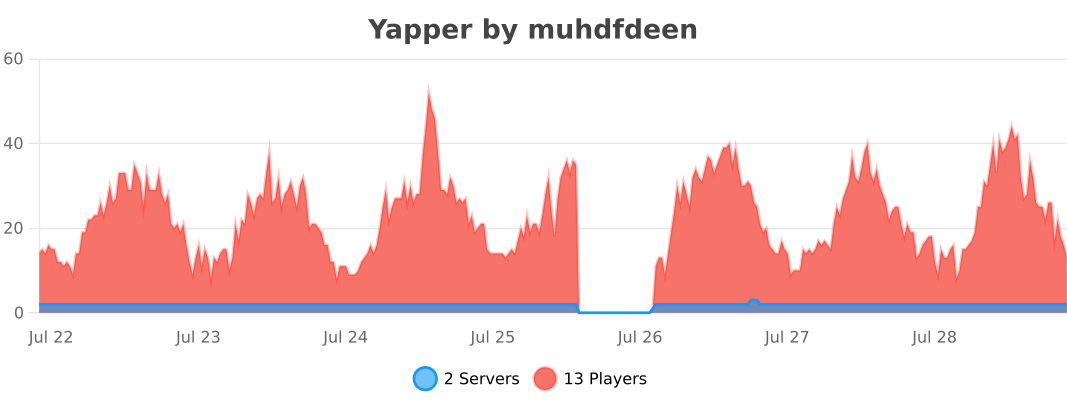
Statistics
This plugin utilizes bStats to collect anonymous usage metrics.

Create unlimited custom channels like local, staff, or even VIP with distinct formatting, permission nodes, and proximity ranges.
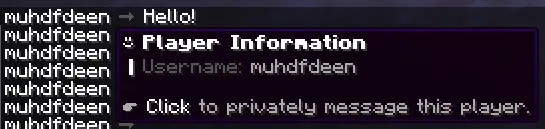
Use MiniMessage syntax to create custom hover tooltips and click actions for player names, prefixes, and chat layouts.

Map custom chat macros directly to PlaceholderAPI placeholders to let players share their stats like playtime, balance, ping, or anything you can think of.

Share held items, full inventories, and ender chests inline using simple chat macros like <item>, <inventory>, and <enderchest>.
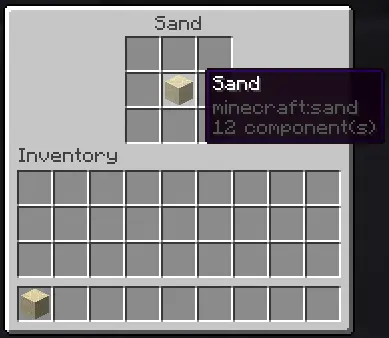
Example item preview that pops up on clicking the item macro.
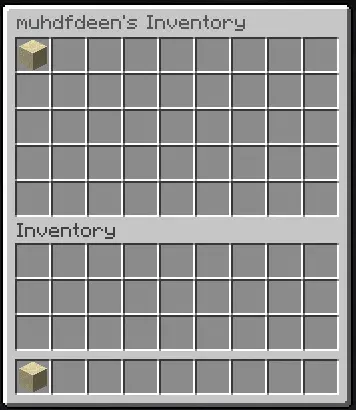
Clicking an inventory macro opens a view-only snapshot of the player's inventory contents.
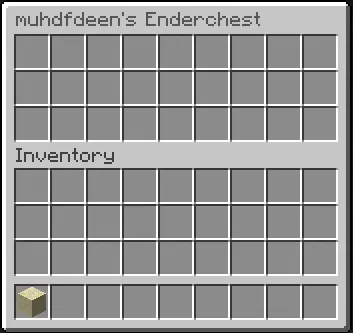
Clicking an ender chest macro opens a view-only snapshot of the sender's ender chest contents.
| Version | Minecraft | Loader | Download |
|---|---|---|---|
|
1.0.0-bed9d8 |
26.1, 26.1.1, 26.1.2, 26.2, 26.3
|
folia, paper, purpur
|
Download |
|
1.0.0-1e2086 |
26.1, 26.1.1, 26.1.2, 26.2, 26.3
|
folia, paper, purpur
|
Download |
|
1.0.0-ffed4b |
26.1, 26.1.1, 26.1.2, 26.2, 26.3
|
folia, paper, purpur
|
Download |
|
1.0.0-8ce029 |
26.1, 26.1.1, 26.1.2, 26.2, 26.3
|
folia, paper, purpur
|
Download |
|
1.0.0-e5108a |
26.1, 26.1.1, 26.1.2, 26.2, 26.3
|
folia, paper, purpur
|
Download |
|
1.0.0-fb452e |
26.1, 26.1.1, 26.1.2, 26.2, 26.3
|
folia, paper, purpur
|
Download |
|
1.0.0-0acb82 |
26.1, 26.1.1, 26.1.2, 26.2, 26.3
|
folia, paper, purpur
|
Download |
|
1.0.0-bb95ab |
26.1, 26.1.1, 26.1.2, 26.2
|
folia, paper, purpur
|
Download |
|
1.0.0-00681d |
26.1, 26.1.1, 26.1.2, 26.2
|
folia, paper, purpur
|
Download |
|
1.0.0-46f7c9 |
26.1, 26.1.1, 26.1.2, 26.2
|
folia, paper, purpur
|
Download |
|
1.0.0-5dd14d |
26.1, 26.1.1, 26.1.2, 26.2
|
folia, paper, purpur
|
Download |
|
1.0.0-fbe431 |
26.1, 26.1.1, 26.1.2, 26.2
|
folia, paper, purpur
|
Download |
|
1.0.0-356fc0 |
26.1, 26.1.1, 26.1.2, 26.2
|
folia, paper, purpur
|
Download |
|
1.0.0-b499ce |
26.1, 26.1.1, 26.1.2, 26.2
|
folia, paper, purpur
|
Download |
|
1.0.0-8847df |
26.1, 26.1.1, 26.1.2, 26.2
|
folia, paper, purpur
|
Download |
|
1.0.0-18a619 |
26.1, 26.1.1, 26.1.2, 26.2
|
folia, paper, purpur
|
Download |
|
1.0.0-50069b |
26.1, 26.1.1, 26.1.2, 26.2
|
folia, paper, purpur
|
Download |
|
1.0.0-c8577d |
26.1, 26.1.1, 26.1.2, 26.2
|
folia, paper, purpur
|
Download |
|
1.0.0-aaf28f |
26.1, 26.1.1, 26.1.2, 26.2
|
folia, paper, purpur
|
Download |
|
1.0.0-22b921 |
26.1, 26.1.1, 26.1.2, 26.2
|
folia, paper, purpur
|
Download |
|
1.0.0-d9bf32 |
26.1, 26.1.1, 26.1.2, 26.2
|
folia, paper, purpur
|
Download |
|
1.0.0-b301b1 |
26.1, 26.1.1, 26.1.2, 26.2
|
folia, paper, purpur
|
Download |
|
1.0.0-e45888 |
26.1, 26.1.1, 26.1.2, 26.2
|
folia, paper, purpur
|
Download |